Installing Coreform IGA for Abaqus
1 Foreword
Coreform IGA for Abaqus needs two things before it can run an analysis:
- Acceptance of the Coreform EULA.
- An active Coreform license. (Described in more detail here)
Both are handled the first time you start Coreform IGA for Abaqus in Abaqus/CAE, not during installation. On first launch you are asked to accept the EULA, and then to set up a license by signing in with your Coreform account or by pointing at a self-hosted RLM license server. You can reopen that licensing dialog at any time from Help → Coreform IGA Licensing….
Installation itself is covered below.
Windows: after completing the Windows installation, launch Coreform IGA for Abaqus in Abaqus/CAE. On first launch, follow the prompts to accept the EULA and configure your Coreform license.
Linux: extract the tarball as described in the Linux section, then optionally run our Python configuration script, described in the Coreform configuration tool section.
Note: the Coreform configuration tool is compatible with both Windows and Linux.
You can find more information regarding customizing your Abaqus configuration via Dassault Systèmes Simulia’s Abaqus Configuration Guide.
2 Windows
Run the downloaded installer .exe file and approve the Windows User Account Control prompt. The installer requires administrator access and defaults to C:\Program Files\Coreform IGA 20XX.X, where 20XX.X is the version number. The images below show the different pages of the installer, with instructions and descriptions for each page.
The welcome page recommends closing other applications before starting the installation. Click Next to proceed or Cancel to cancel the installation.
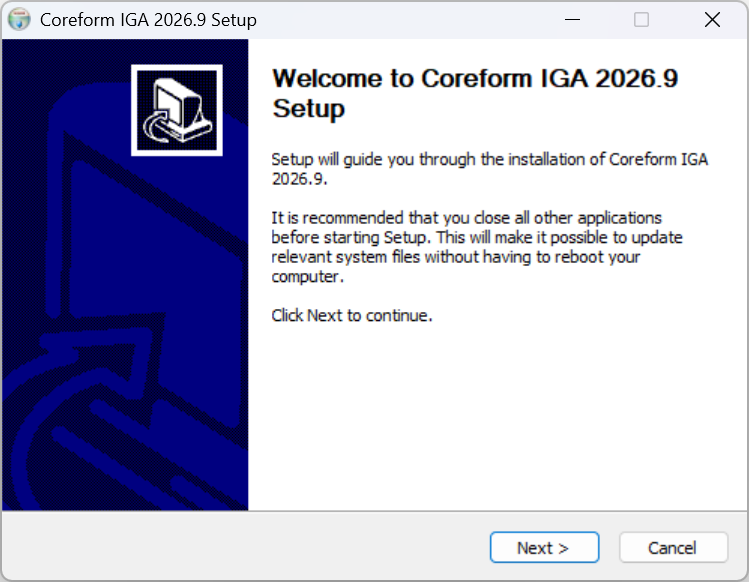
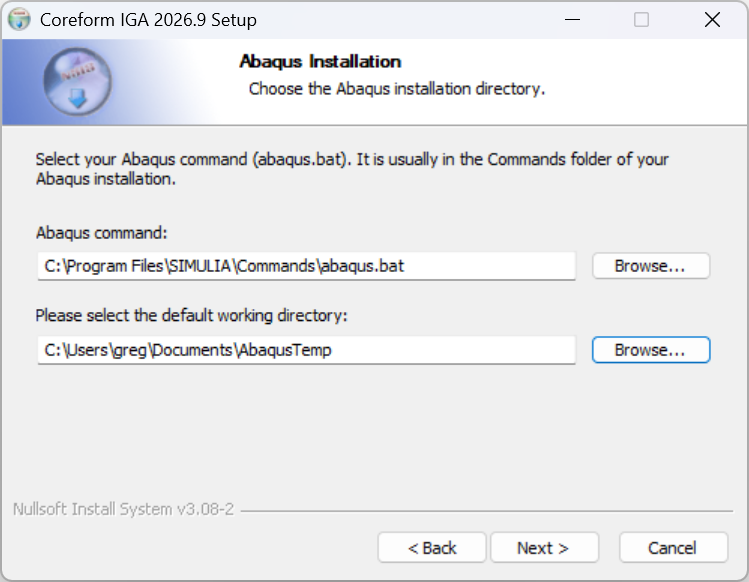
Welcome to the Coreform IGA setup wizard. On the Abaqus Installation page, confirm or select the
abaqus.batcommand for the Abaqus installation you want to use. This file is usually in theCommandsdirectory of your Abaqus installation. The installer may fill this field fromABA_COMMAND, yourPATH, or the standard SIMULIA Commands directory, so confirm that it identifies the version you intend to use.Also select an existing, writable default working directory. The installer uses it as the Start in directory for the Start menu and Desktop shortcuts, so Abaqus/CAE output files from those shortcuts are written there. Click Next to proceed.
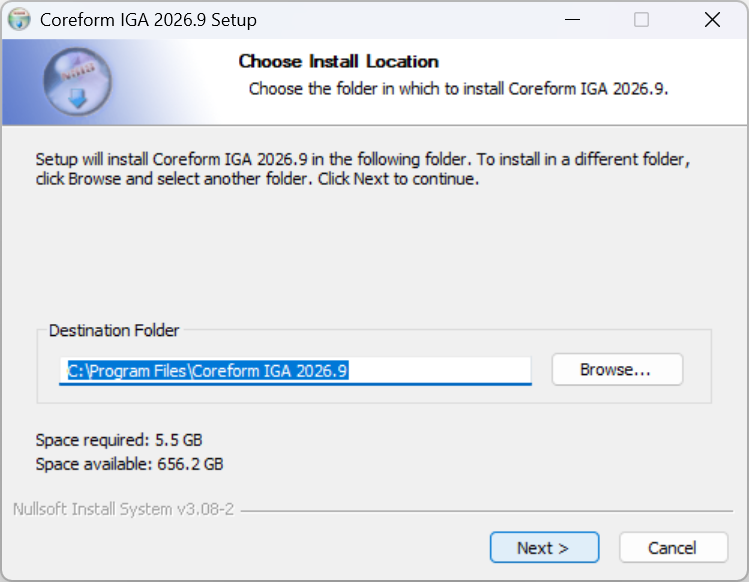
Select the Abaqus command and default working directory. On the Choose Install Location page, accept the recommended default installation directory, or click Browse to select another directory, then click Next.
Choose where to install Coreform IGA. On the Choose Start Menu Folder page, select the folder in which to create the Coreform IGA shortcuts. Leave Do not create shortcuts cleared: the installer’s post-installation check expects the Coreform IGA for Abaqus Start menu shortcut, and the shortcut enables the Windows Start menu launch method described here in this manual. Click the Install button to begin the installation process.
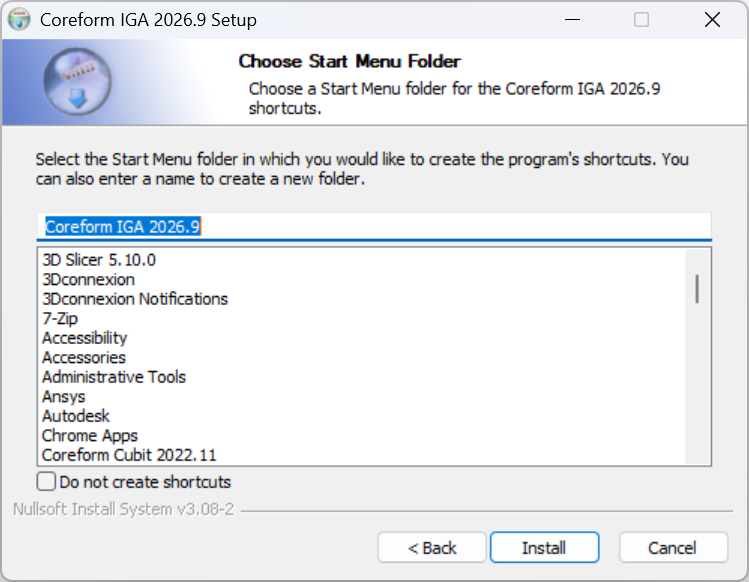
Choose the Start menu folder and create the shortcuts. The Installing page displays the installation progress. In addition to extracting the Coreform IGA files, setup installs the bundled Microsoft Visual C++ Redistributable, records the selected Abaqus command, creates the application shortcuts, and checks the Abaqus version and installed integration. Click Show details to see more information while setup is running.
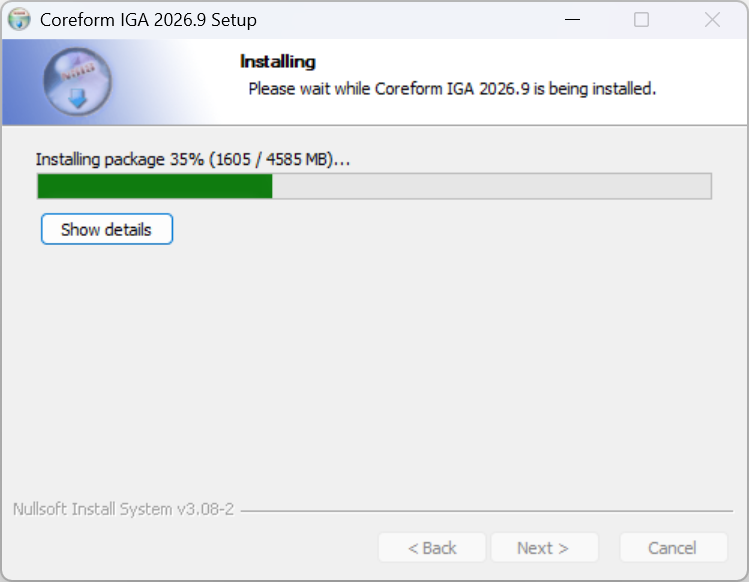
Monitor the Coreform IGA installation progress. The Installation Summary page reports whether Coreform IGA for Abaqus and its setup checks completed successfully. It also reminds you that licensing is configured the first time you start the application in Abaqus/CAE. A warning is displayed if the installer detects an unsupported Abaqus version or cannot verify the version; this warning does not stop the installation.
If setup reports a failure, review
%TEMP%\coreform_iga_installer_output.log, then contact your IT department orsupport@coreform.comif you need assistance. Click Next to continue.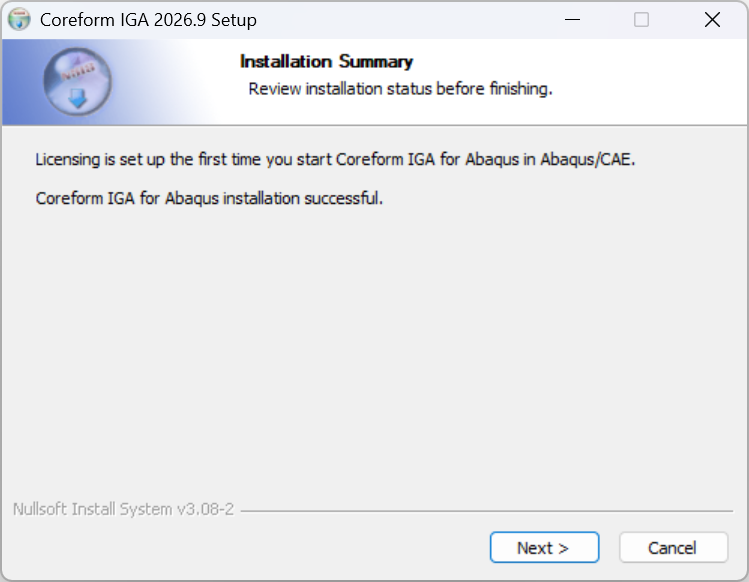
Review the Coreform IGA for Abaqus installation summary. On the final page, click Finish to close the installer. Then launch Coreform IGA for Abaqus in Abaqus/CAE and follow the first-launch prompts to accept the EULA and configure your license.
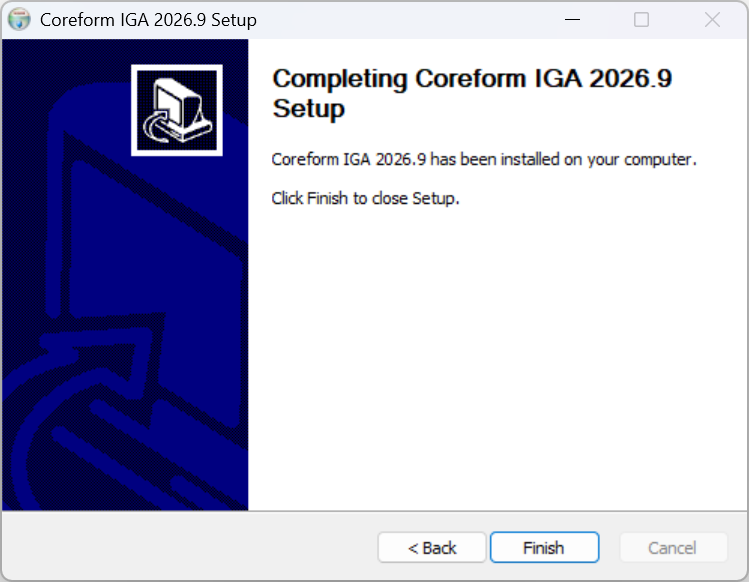
Complete the Coreform IGA setup wizard.
3 Linux
Coreform IGA for Abaqus is distributed for Linux as a tarball (.tar.gz).
You can download the program through the file with the
.tar.gzextension (called a tarball) by clicking on it in the downloads page, or by using a Linux terminal to download it like this:curl -LO "<url to the specific .tar.gz file>"Once you have the tarball downloaded, it needs to be extracted.
tar -xf <path to tarball> -C <path to destination directory>The tarball does not resolve dependencies automatically, so you must install the required system packages yourself first.
On Debian/Ubuntu:
sudo apt install libx11-6 libxt6 libxcb-icccm4 libxcb-image0 libxcb-keysyms1 \
  libxcb-render-util0 libxkbcommon-x11-0 libxcb-randr0 libxcb-xinerama0 \
  libopengl0 libglib2.0-0 libxm4 librdmacm1 zip
On RHEL/Rocky:
sudo dnf install libX11 libXt xcb-util-wm xcb-util-image xcb-util-keysyms \
  xcb-util-renderutil libxkbcommon-x11 libglvnd-opengl motif librdmacm zip
Once the tarball has been extracted and the prerequisites are installed, navigate to the installation root and run the configuration tool:
abaqus python coreform_iga_abaqus_setup.pyFollow all the steps it suggests. The Coreform Configuration Tool section below describes what the tool does and the output to expect. This step is optional when the
abaquscommand is on yourPATH, but we recommend it.After the config tool has completed, launch Coreform IGA for Abaqus with the
coreform_igalauncher in the installation’sbindirectory:<install-root>/bin/coreform_igaIf you let the setup tool add symlinks to your
PATH, you can simply runcoreform_igafrom anywhere.
4 Coreform Configuration Tool
The configuration tool records the Abaqus command that the Coreform IGA launcher should use and, on Linux, creates PATH symlinks and desktop menu entries. It does not modify the Abaqus installation or abaqus_v6.env.
Running it yourself is usually unnecessary on Windows and optional on Linux:
- Windows: the installer records the selected command and creates the shortcuts for you. Run the tool manually only to reconfigure an existing installation, e.g., to point it at a different Abaqus version.
- Linux: the
coreform_igalauncher finds Abaqus on yourPATHby itself, so the tool is optional if Abaqus is on yourPATH. We still recommend running it: it records the Abaqus command for setups where Abaqus is not on yourPATH, and it creates thePATHsymlinks and desktop menu entries.
It does not install the system packages listed in the Linux section, and it does not handle the EULA or licensing. Those are handled the first time you start Coreform IGA for Abaqus in Abaqus/CAE, and licensing can be revisited from Help → Coreform IGA Licensing….
The script is coreform_iga_abaqus_setup.py, found inside the Coreform IGA for Abaqus installation in the interop/abaqus/cf_app/install_tools subdirectory, and also at the root of the Linux installation folder.
For example, on Windows open a Powershell terminal with Administrator privileges and run:
cd 'C:\Program Files\Coreform IGA 2026.9\interop\abaqus\cf_app\install_tools\'
abaqus python .\coreform_iga_abaqus_setup.py
When prompted, confirm the detected Abaqus command or enter the command for the version that you want the Coreform IGA launcher to use.
The tool prints a short banner, resolves your Abaqus command, and reports what it did:
===============================
Coreform IGA Configuration Tool
===============================
It will confirm the Abaqus command it detected, or ask for one if Abaqus is not on your PATH. You will then see a summary showing the completion or failure of each step, which will look like this:
Summary:
- PASS setup_steps: No delegated setup steps selected
- PASS abaqus_hint: Wrote Abaqus command hint to C:\Program Files\Coreform IGA 2026.9\bin\coreform_iga.abaqus_cmd
On Linux the summary includes an additional desktop_integration line counting the PATH symlinks and menu entries created:
Summary:
- PASS setup_steps: No delegated setup steps selected
- PASS abaqus_hint: Wrote Abaqus command hint to /opt/coreform-iga/bin/coreform_iga.abaqus_cmd
- PASS desktop_integration: 4 PATH symlink(s), 2 menu entry(ies) created